Compare
Kajo vs MacWhisper
MacWhisper is a well-made local transcriber for the Mac, with an iPhone and iPad app. It searches across your transcripts and files them in folders; Pro is a one-time purchase and adds batch transcription, speaker recognition, watched folders, translation, and chat over one transcript with your own API key or a local model. Kajo goes past the single transcript: ask a folder — or, with a confirm, the whole library — and get answers cited to the recording and the moment, then export REFI-QDA. It runs on Mac, Windows, and Linux, with no cloud option at all. One $49 purchase unlocks unlimited imports and Lifetime convenience (watch folders, batch export) — one payment, no subscription.
MacWhisper is great local transcription for Apple devices. Kajo answers questions across a whole folder of recordings, with citations — on Mac, Windows, and Linux.
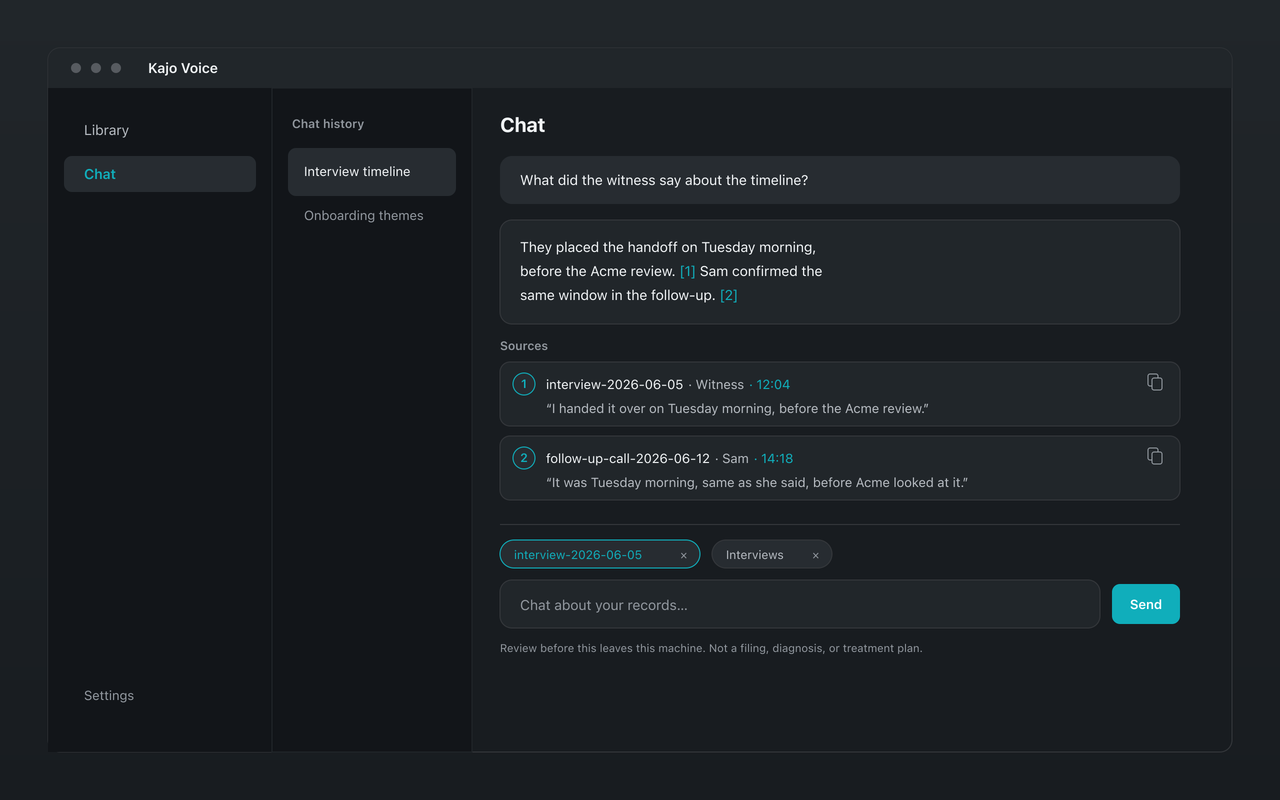
Why choose Kajo over MacWhisper
-
Answers you can check
Every citation's quote is matched against the transcript, and when your recordings do not support an answer, Kajo marks it as unsupported.
-
Ask a whole folder, with citations
MacWhisper chats with one transcript at a time. Kajo answers across a folder — or, with a confirm, the whole library — and every answer cites the recording and the moment.
-
Windows and Linux, as well as Mac
MacWhisper runs on Mac, iPhone, and iPad, but not on Windows or Linux. Kajo is the same app on Apple Silicon Macs, Windows, and Linux, so a lab or practice with mixed machines can use one tool.
-
No cloud option at all
MacWhisper can send audio to cloud providers with your own API keys, or, in its App Store version, to its own servers through an optional Assistant subscription. Kajo's models run only on your machine, so no setting sends a recording anywhere.
-
REFI-QDA export for CAQDAS tools
Export QDPX with each speaker as a code and exact timestamps, straight into NVivo, ATLAS.ti, or MAXQDA.
Kajo vs MacWhisper: side by side
| Feature | Kajo | MacWhisper |
|---|---|---|
| On-device transcription | Yes | Yes |
| Platforms | macOS (Apple Silicon), Windows (Microsoft Store), Linux | Mac, iPhone, iPad — no Windows or Linux |
| Chat | Yes — on your machine, across a folder or the whole library | Yes — one transcript at a time, with your own API key or a local model |
| Speaker labels | Yes | Yes (Pro) |
| Watched folders | Yes (Lifetime) | Yes (Pro) |
| Price | Free, then $49 launch / $99 standard | About €65 one-time for a Pro licence, direct from the developer |
Which one fits you?
Choose MacWhisper if…
- You work only on a Mac and mostly need individual transcripts, exported as files.
- You want to chat with one transcript at a time, using your own API key or a local model.
- You already own MacWhisper Pro and mostly work with one transcript at a time.
- Your Mac has an Intel processor — Kajo needs Apple Silicon.
Choose Kajo if…
- You want to ask a folder of recordings questions and get answers cited to the moment.
- You, or the people you work with, are on Windows or Linux as well as Mac.
- You code interviews in a CAQDAS tool and want QDPX export.
- You want a model that cannot be pointed at a cloud service, by anyone, by mistake.
Frequently asked questions
Can I move my MacWhisper transcripts into Kajo?
Bring the recordings. Kajo imports audio and video files and transcribes them on your machine; it does not import MacWhisper's transcript exports. Import a folder and every file is transcribed and filed.
Does Kajo use on-device transcription like MacWhisper?
Yes — fully on-device. Transcribes 99 languages on your laptop — all on-device.
Is Kajo only for people leaving MacWhisper?
No. You can keep MacWhisper for quick one-off transcripts on your Mac and use Kajo for the archive you ask questions of — or run the same local loop on Windows or Linux.