Compare
Kajo vs Spokenly
Spokenly does one job well: press a key, speak, and text appears at your cursor — with cloud models by default and local ones if you choose, on macOS, Windows, Linux, and iOS, plus file transcription with speaker labels and subtitle export. Kajo solves the next job — what happens to the audio you keep: import it, transcribe and summarise it on your machine, file it into folders, and ask a folder — or, with a confirm, the whole library — with cited answers. One $49 purchase unlocks unlimited imports and Lifetime convenience (watch folders, batch export) — one payment, no subscription.
Spokenly turns speech into text at your cursor. Kajo turns the recordings you keep into a private library you can ask with citations. You can run both side by side.
Why choose Kajo over Spokenly
-
Built for recordings, not dictation
Spokenly types what you say into the app in front of you. Kajo files the recordings you keep and makes them answerable.
-
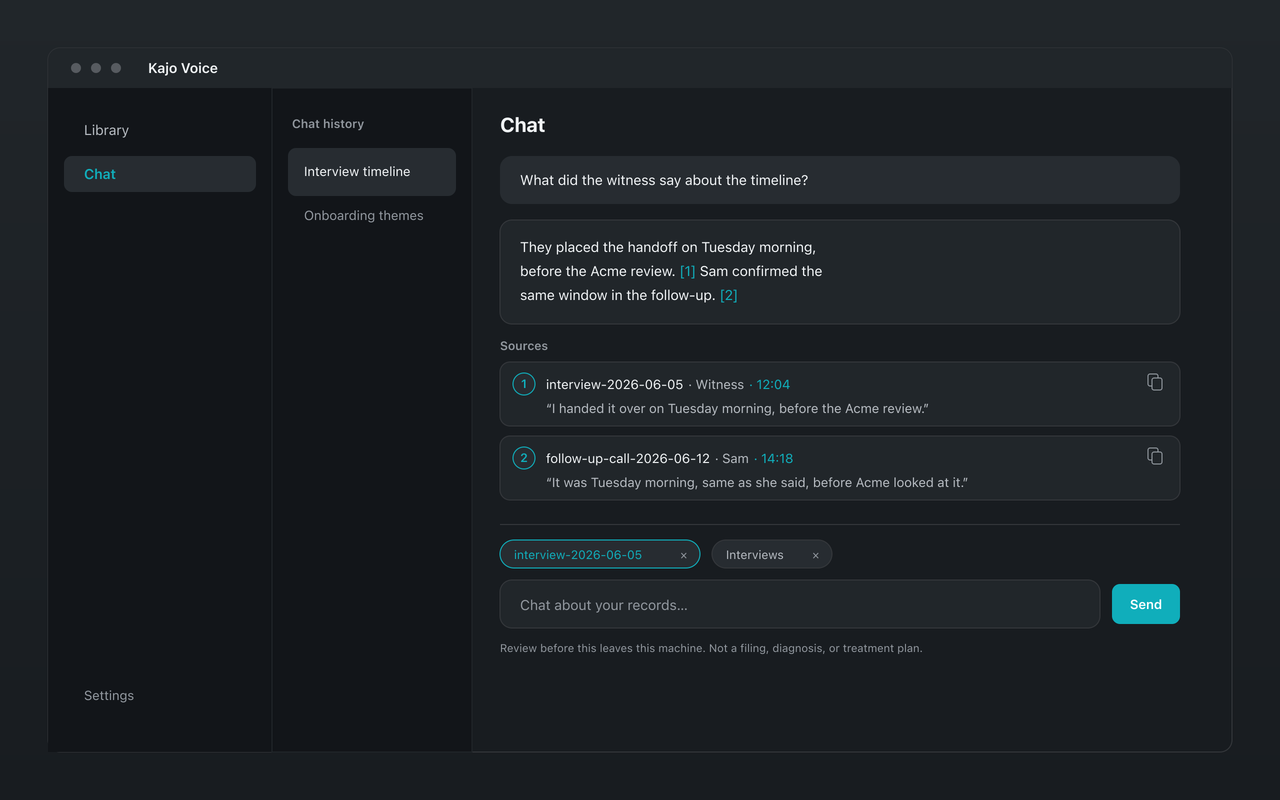
Ask a folder, with citations
Ask a folder of recordings a question and get quotes that open the exact moment on the tape, answered by a model on your machine.
-
Translation on your machine
Translate a transcript into 59 languages with the same local model that answers your questions — no translation service in the loop.
-
REFI-QDA export built in
Export QDPX with each speaker as a code and exact timestamps, for NVivo, ATLAS.ti, or MAXQDA.
-
Local is the only mode
Spokenly uses cloud models by default; local models and a local-only mode are settings. Kajo has no other mode — there is no cloud model to switch on.
Kajo vs Spokenly: side by side
| Feature | Kajo | Spokenly |
|---|---|---|
| Primary job | A searchable archive of recordings | Voice-to-text dictation |
| Runs locally | Yes — always | Optional — cloud models by default |
| File transcription | Yes, with speaker labels and summaries | Yes, with speaker labels and subtitle export |
| Chat across recordings | Yes — on your machine, with citations | Not listed |
| Plans | Free, then $49 launch / $99 standard | Free with unlimited local models; Pro $9.99/month or $99.99/year |
| Platforms | macOS (Apple Silicon), Windows (Microsoft Store), Linux | macOS, Windows, Linux (x86_64), iOS |
Which one fits you?
Choose Spokenly if…
- You want fast, system-wide dictation into any app, on your computer and your iPhone.
- You mostly transcribe short files and export subtitles.
Choose Kajo if…
- You want the recordings you keep in one library you can search and ask, with citations.
- You need speaker labels, translation, and CAQDAS export on one local stack.
- You want both — a dictation app and Kajo run happily side by side.
Frequently asked questions
Is Kajo a Spokenly alternative?
It overlaps on local transcription, but the job is different. Spokenly is voice-to-text dictation into whatever app you are in; Kajo turns the recordings you keep into a searchable library with cited chat. The two run fine side by side.
Does Kajo do system-wide dictation like Spokenly?
No. Kajo is built around importing audio into a searchable library, not typing into the app in front of you. If you want fast voice typing everywhere, keep a dedicated dictation tool.
Does Kajo run on Linux like Spokenly?
Yes — both do. Kajo ships .deb, .rpm, and AppImage for x86_64 and ARM64.