Compare
Kajo vs Fireflies.ai
Fireflies is a cloud meeting assistant: a bot joins your calls by default (bot-free capture needs its desktop or mobile app, or its Chrome extension in Google Meet), transcripts live in its cloud, and AskFred answers questions there — across meetings, for AI credits. Kajo is for the recordings you already have: import them, transcribe on your machine, file them into a private library, and ask a folder — or, with a confirm, the whole library — with cited answers. One $49 purchase unlocks unlimited imports and Lifetime convenience (watch folders, batch export) — one payment, no subscription.
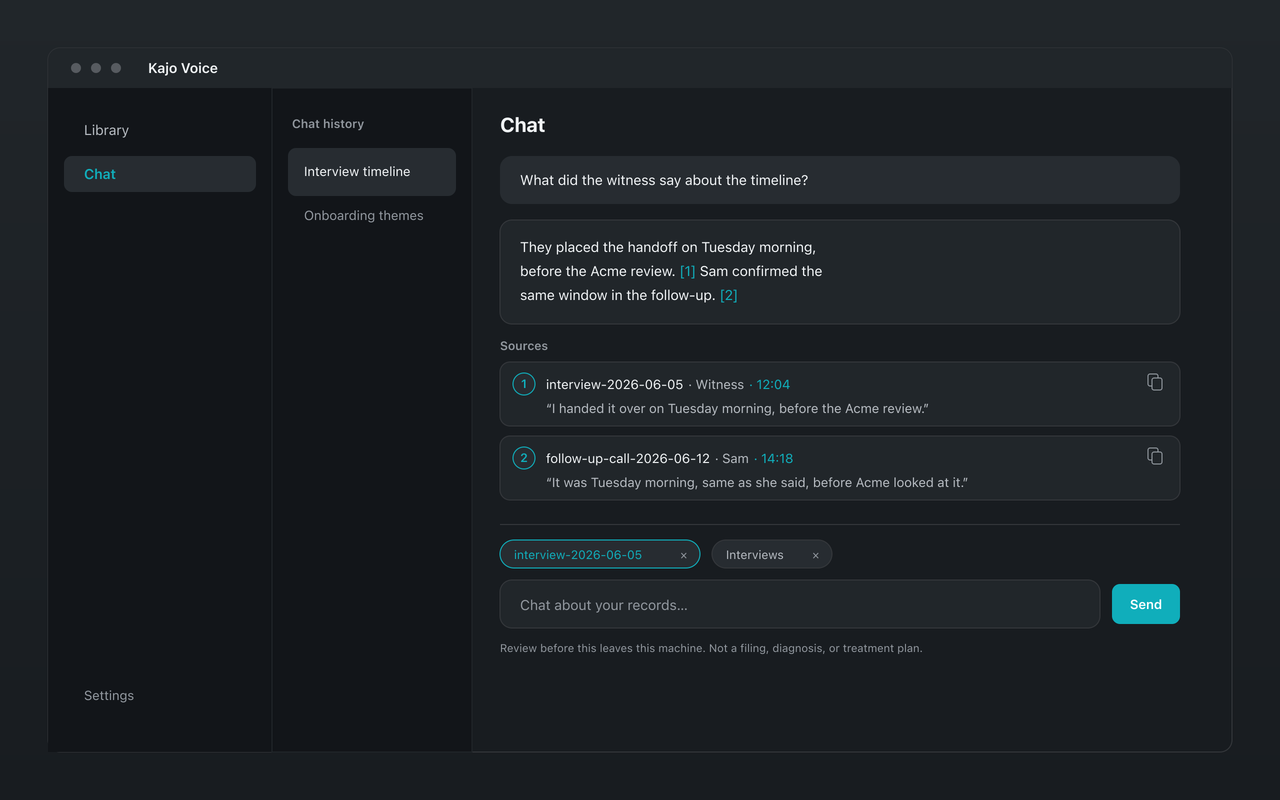
Fireflies lives in your calls and its cloud. Kajo lives on your machine: import the recordings you keep, search them, and get cited answers — no bot, no upload.
Why choose Kajo over Fireflies.ai
-
No bot in the call
Fireflies sends a bot into your calls by default. Kajo never joins a call — it works on recordings you already have.
-
Audio never uploads
Fireflies keeps recordings and transcripts in its cloud. Kajo transcribes, indexes, and answers on your own machine.
-
Answers without a credit meter
AskFred answers in Fireflies' cloud and links to the moment, but questions across meetings spend AI credits. Kajo answers on your machine, also cited to the moment, with no meter.
-
Organised the way confidential work is
A folder per study, matter, or client — and chat answers only from the folders you pin, so two clients never meet in one answer.
-
One purchase per person
Fireflies bills per seat, monthly or annually. Kajo is one payment per person, and your installed version keeps working forever.
Kajo vs Fireflies.ai: side by side
| Feature | Kajo | Fireflies.ai |
|---|---|---|
| Capture | Import recordings you already have | A bot joins calls that have a meeting link by default; bot-free capture via the desktop and mobile apps, and the Chrome extension in Google Meet |
| Where transcripts live | On your machine | Fireflies' cloud |
| Chat over your recordings | Yes — on your machine | AskFred, with citations, in Fireflies' cloud; questions across meetings spend AI credits |
| Plans | Free, then $49 launch / $99 standard | Free $0; Pro $18/seat/month billed monthly ($10 annually); Business $29/seat/month ($19 annually) |
| Transcript downloads | SRT, VTT, TXT, CSV, JSON, Markdown, DOCX, PDF, QDPX | PDF, DOCX, SRT, CSV, JSON, and Markdown on Pro and above; audio download on paid plans, except desktop-app bot-free captures, which keep no audio; no TXT |
Which one fits you?
Choose Fireflies.ai if…
- You want a notetaker in every meeting, with summaries and integrations shared across a team.
- Your calls are fine to process and store in the cloud.
Choose Kajo if…
- You record interviews or calls yourself and need them to stay on your machine.
- You want cited answers without a per-seat plan or an AI-credit meter.
- Your work lives in folders by client, matter, or study that must never mix.
Frequently asked questions
Is Kajo a private alternative to Fireflies?
Yes. Kajo keeps your recordings on your own machine, transcribes them locally, and files them into a searchable library you can ask with citations — no bot in the call and no cloud notebook.
Can I move my Fireflies meetings into Kajo?
Bring the audio. Fireflies lets paid plans download meeting recordings, though the desktop app's bot-free captures keep no audio; import those files and Kajo transcribes them on your machine. Kajo does not import Fireflies' transcript documents.
Does Kajo do team collaboration like Fireflies?
No — by design. Kajo is for individuals and small practices who want their audio to stay theirs. If you need a shared cloud workspace, Fireflies fits that job.